
Naqsha
نقشه — a plan, a map, a blueprint
Native diagramming and architecture for macOS. Opens and saves Visio and draw.io files, with C4, cloud and DevOps tools built in.
Free download · macOS 11 or later · Apple Silicon and Intel
Why Naqsha
A real Mac app
GPU-rendered, starts instantly, works offline. Your diagrams are files on your disk, not rows in someone else’s cloud.
Speaks Visio and draw.io
Open a .vsdx or .drawio, edit it, and save it back — pages, layers, containers, shape data and connector routes kept.
Built for architects and DevOps
C4, cloud and integration stencils, architecture templates, and CI/CD pipeline files turned into diagrams.
Big systems stay readable
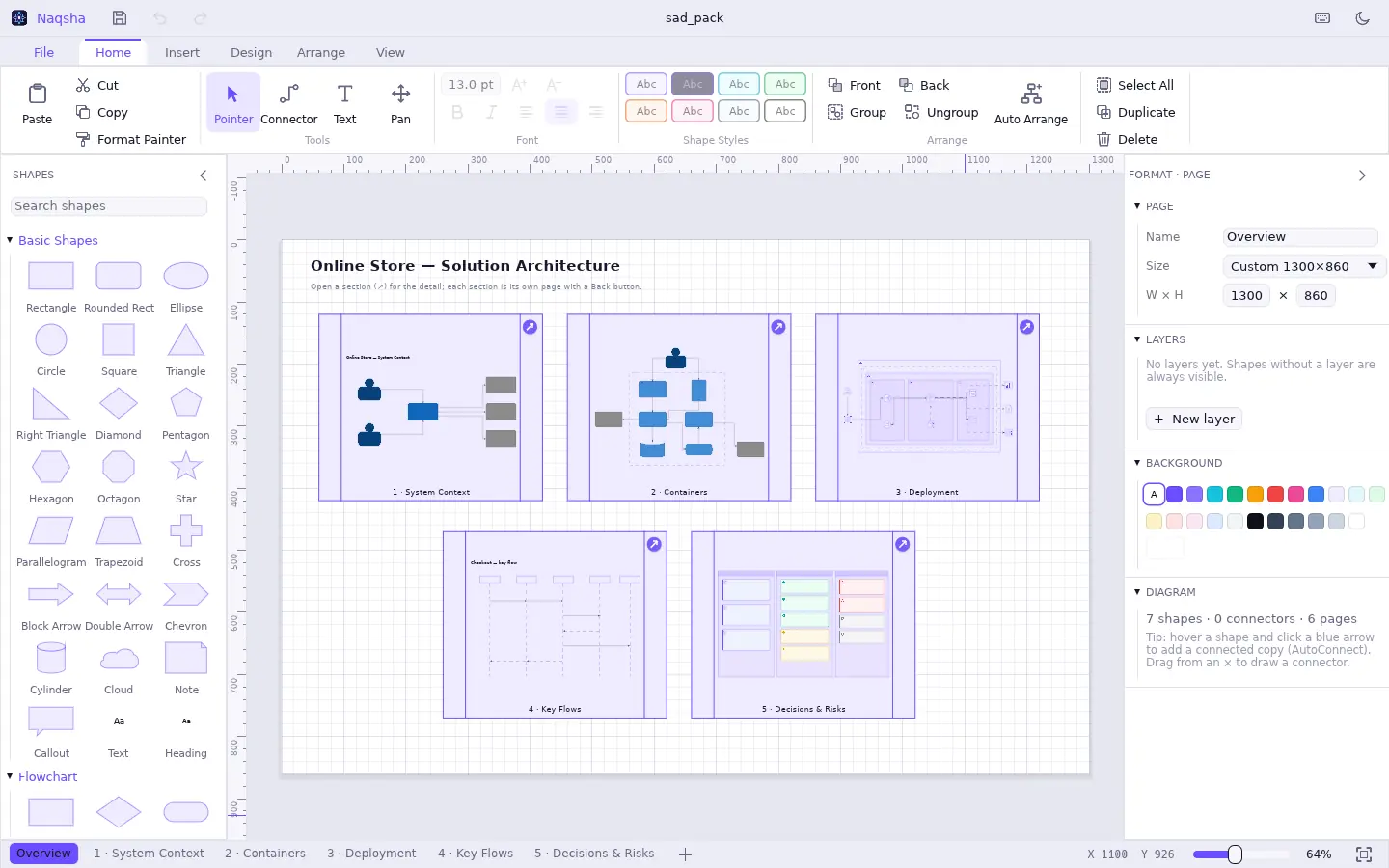
Any shape can open its own page and shows a live preview of it, so the overview stays clean and the detail is one click away.
Start from a template
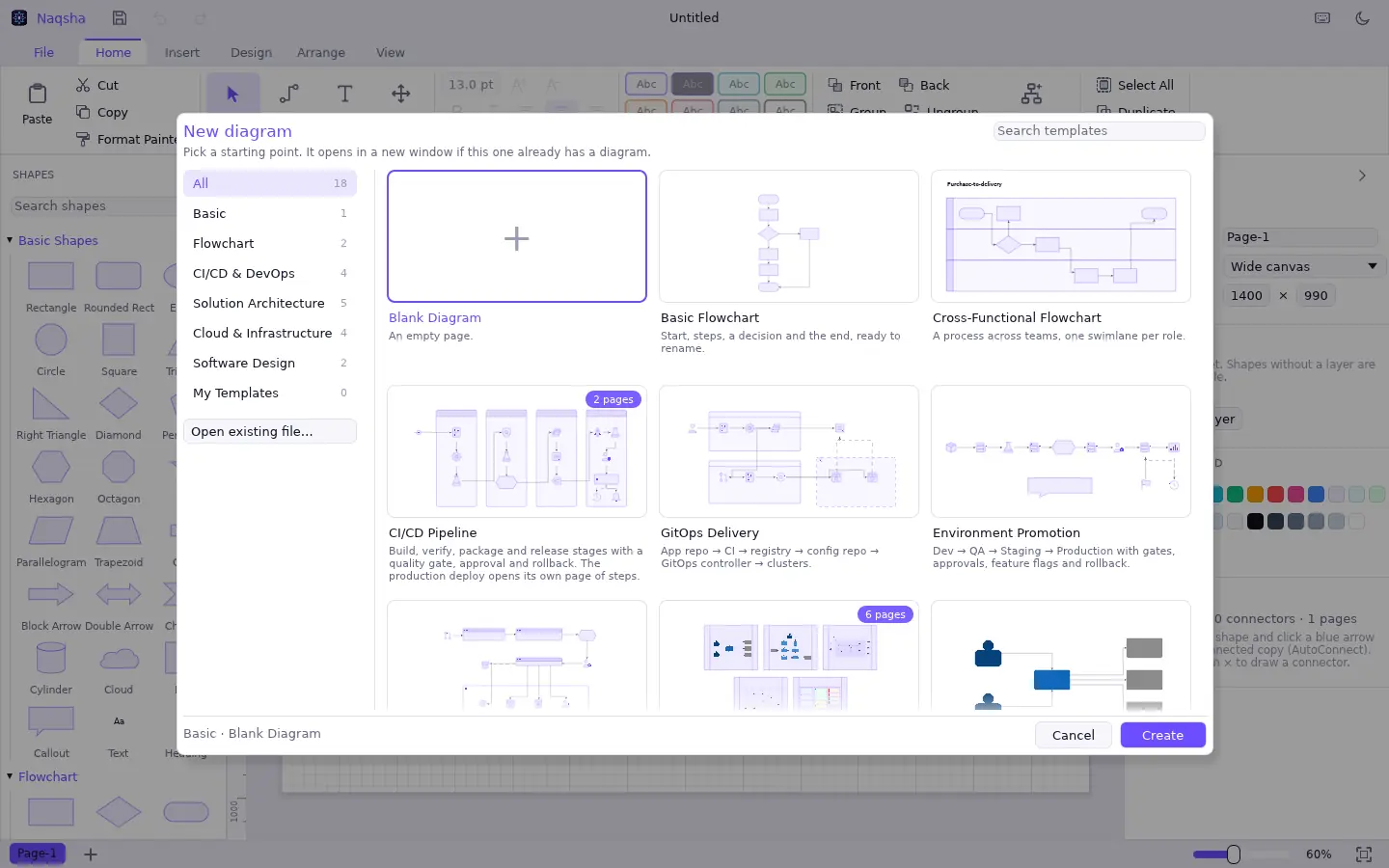
18 templates for the work architects and engineers actually do, and your own diagrams saved as templates.
- Solution Architecture Pack — an overview linked to five detail pages
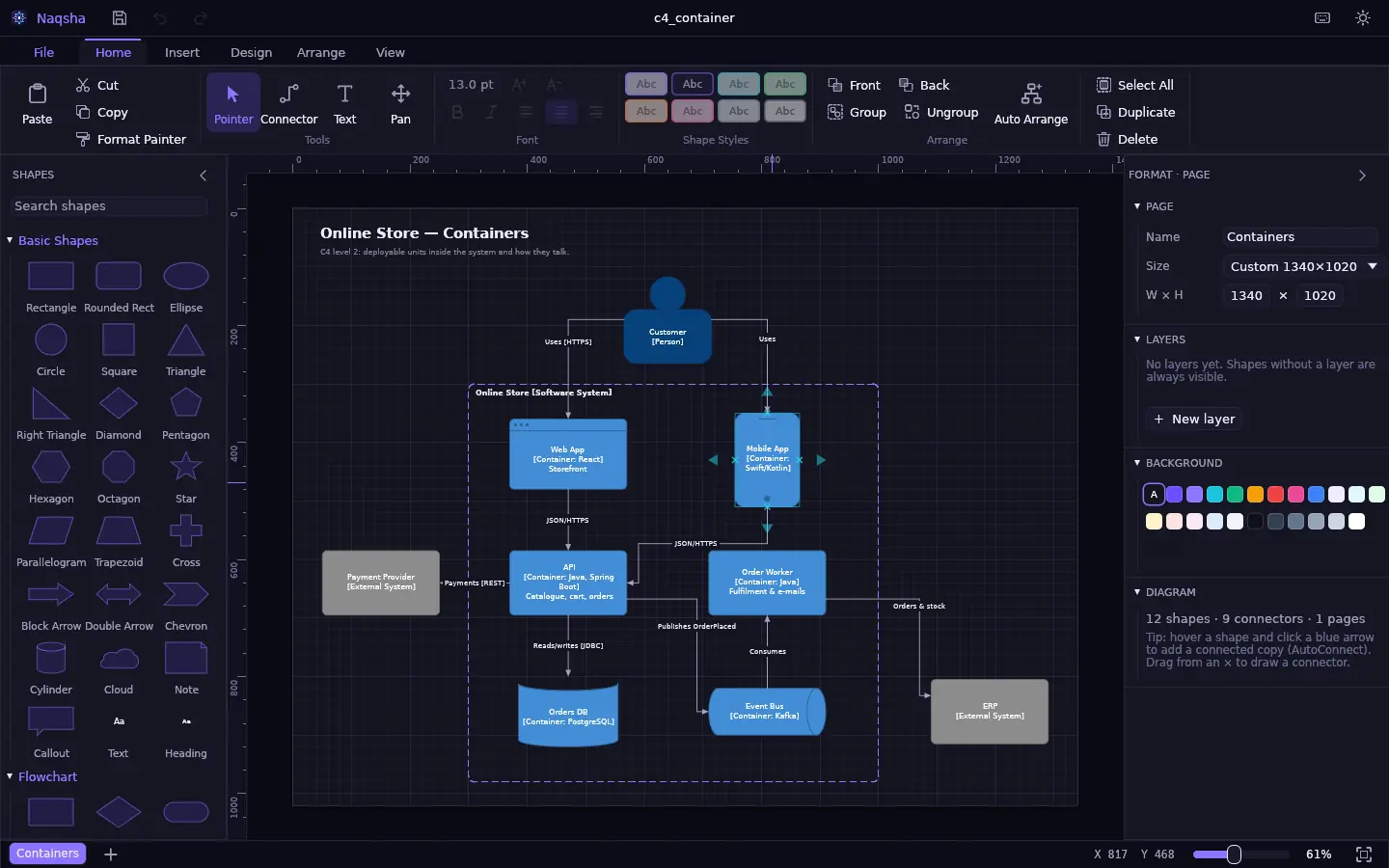
- C4 System Context and C4 Containers
- Cloud three-tier, microservices, data platform, network zones
- CI/CD pipeline, GitOps, environment promotion, infrastructure as code
- Flowcharts, swimlanes, sequence diagrams, ER models
Turn a pipeline file into a diagram
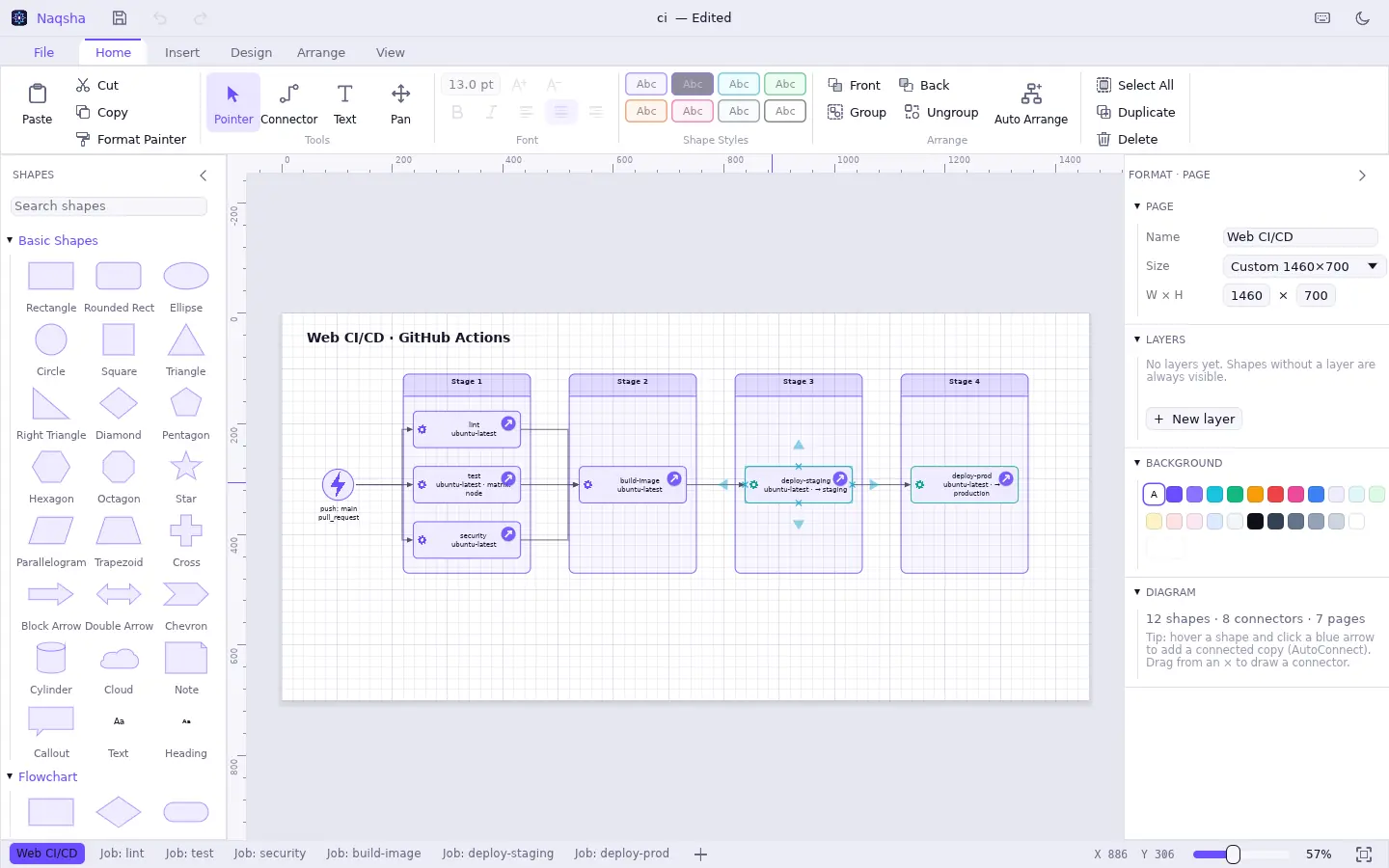
Open a GitHub Actions workflow, GitLab CI, Azure Pipelines, Bitbucket Pipelines or Jenkinsfile. Naqsha draws the trigger and the jobs in stage columns, labels matrix builds, environments and approvals, and gives every job a page of its steps with the scripts shown as code.
Open and save any format
| Format | Open | Save | What’s kept |
|---|---|---|---|
| Naqsha (.nqs) | ✓ | ✓ | Everything; plain JSON that diffs well in git |
| Microsoft Visio (.vsdx) | ✓ | ✓ | Masters, styles, groups, layers, shape data, connectors, pictures |
| draw.io (.drawio) | ✓ | ✓ | Pages, layers, containers, labels, data, waypoints |
| SVG | ✓ | ✓ | Paths become editable shapes |
| PNG · PDF | — | ✓ | Vector PDF; sub-diagram previews included |
Questions
Is Naqsha a Visio alternative for Mac?
Yes. Naqsha is a native macOS diagramming app in the spirit of Microsoft Visio: stencils, connectors that stay glued, containers and swimlanes, layers, pages, themes and auto-arrange. It opens and saves Visio .vsdx files, so you can work with colleagues who use Visio on Windows.
Can I open .vsdx files on a Mac with Naqsha?
Yes. Naqsha opens Visio .vsdx drawings — masters, styles, groups, text, layers, shape data, glued connectors and embedded pictures — and can save your changes back as .vsdx. Legacy binary .vsd files need to be re-saved as .vsdx in Visio first.
Does Naqsha open draw.io files?
Yes. Naqsha opens and saves draw.io / diagrams.net files (.drawio and .xml, compressed or plain), keeping pages, layers, containers, labels, shape data and connector waypoints.
Can Naqsha turn a GitHub Actions or GitLab CI file into a diagram?
Yes. Open or drop a GitHub Actions workflow, .gitlab-ci.yml, azure-pipelines.yml, bitbucket-pipelines.yml or a declarative Jenkinsfile. Naqsha draws the trigger and the jobs in stage columns based on their dependencies, labels matrix builds, environments and approvals, and gives each job its own page of steps with the scripts shown as code.
Does Naqsha work offline?
Yes. Naqsha is a desktop app that runs entirely on your Mac. Diagrams are saved as files on your disk; nothing is uploaded.
Is there a web version of Naqsha?
A browser version is in development and will be available at nixpx.com/naqsha/app. The Mac app is available now.
What does “naqsha” mean?
Naqsha (نقشه) means a plan, a map or a blueprint in Persian, Urdu and Hindi; the related Arabic word naqsh means a pattern or engraving. The app’s icon is an eight-pointed girih star drawn as a connector between nodes.
Draw the plan.
Free for macOS. Your diagrams stay on your disk.
Download Naqsha